
How Remote Camera Viewing Actually Works Over the Internet
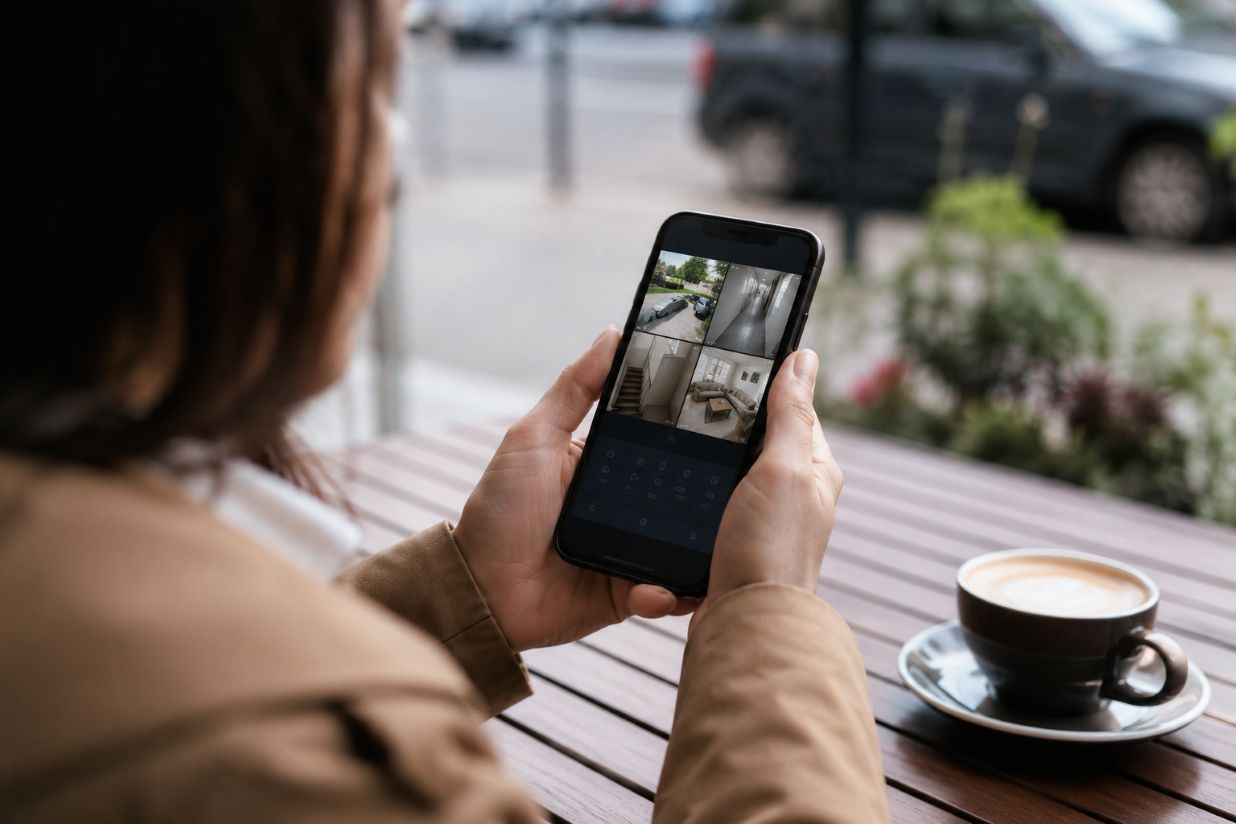
Remote CCTV viewing works by allowing an authorised phone, tablet, or computer outside a property to establish a network connection with the equipment managing its security cameras. Instead of requiring someone to sit beside the recorder, modern network systems can securely deliver live video and, where permitted, recorded footage across the internet.
When a CCTV installer Peterborough configures remote viewing, the job therefore involves more than downloading an app. The recorder or cameras must be connected to the local network, internet access must be available, user accounts and permissions need to be configured, and the method used to establish the remote connection should be secured appropriately.
What Happens When You Open a Camera App?
At home, an IP camera usually communicates through the property’s local area network. A network video recorder may receive the camera streams and provide a central interface for live viewing, recording, playback, and system administration.
Remote viewing introduces the internet into that path. When someone opens the relevant mobile application away from home, the software needs a way to identify the correct CCTV system and establish an authorised connection to it.
The precise route depends on the equipment. Some systems use direct connections between the remote device and equipment at the property. Others use manufacturer-operated cloud services to help the devices locate and communicate with each other.
Axis Communications, for example, documents network video products that can connect with cloud-based services. Its product documentation also shows how modern network cameras operate as internet-capable computing devices rather than simply producing a conventional video signal.
Why NAT Complicates Direct Connections
Most homes contain a router separating the private local network from the public internet. Devices such as cameras can have private IP addresses that work inside the home but cannot simply be contacted from anywhere on the internet.
Network Address Translation, commonly shortened to NAT, allows multiple devices on a private network to communicate externally through a router’s public-facing address. That arrangement is useful for everyday networking, but it means an unsolicited incoming connection does not automatically know which internal device should receive it.
This is one reason remote CCTV access requires an additional connection method. Depending on the system, that could involve port forwarding, a secure intermediary service, or another mechanism designed to establish communication across the router.
How Does Port Forwarding Work?
Port forwarding creates a router rule that directs specified incoming network traffic toward a particular device on the internal network. Historically, it has been one method of making cameras, recorders, servers, and similar equipment accessible remotely.
The concept is straightforward, but security needs careful consideration. Opening a service to incoming internet traffic increases the importance of authentication, software updates, firewall configuration, and limiting unnecessary exposure.
Guidance from the National Institute of Standards and Technology stresses that organisations should understand what network communications connected Internet of Things devices actually require. Knowing those communication patterns allows more appropriate network access controls to be established rather than giving devices unnecessarily broad connectivity.
For that reason, direct exposure should never be treated as simply a convenience setting. The configuration needs to reflect the capabilities and security design of the particular CCTV equipment.
Encrypted Connections Protect Data in Transit
Remote video may travel across networks that the homeowner does not control. Encryption is therefore an important part of protecting information while it moves between endpoints.
Protocols such as Transport Layer Security are widely used to protect network communications by encrypting information in transit and helping establish authenticated connections. CCTV manufacturers may implement secure connections differently, so users should follow the security guidance supplied for their particular recorder, camera platform, and mobile application.
Strong account credentials also remain important. Encryption protects the connection itself, but authorised access still depends on properly managed accounts. Where a platform supports stronger authentication methods, they can provide another layer of protection against account compromise.
Cloud Relay Versus Direct Access
Cloud-connected CCTV systems can simplify remote access by allowing both the home system and mobile application to establish outbound connections to an intermediary platform. Because outbound internet connections normally pass through residential routers more easily than unsolicited inbound connections, this approach can reduce the need for manual router configuration.
Direct access takes a different approach. The remote client attempts to communicate more directly with equipment on the property network, potentially using routing rules or related connection techniques.
Neither description applies universally because security camera platforms use different architectures. The important question is where authentication occurs, whether communications are encrypted, what services are exposed to the internet, and how the manufacturer maintains the software involved.
Bandwidth Can Determine the Viewing Experience
Remote access also depends on the internet connection at the camera location. When a person watches CCTV footage elsewhere, the home network has to send video outward. Available upload bandwidth can therefore affect picture quality and responsiveness.
Video resolution, frame rate, compression, and the number of simultaneous streams influence the amount of network traffic generated. Many systems can provide lower-bandwidth secondary streams for mobile viewing while retaining higher-quality recordings locally.
Network design matters inside the property too. Training materials from Axis Communications highlight bandwidth, cable capacity, network security, and the movement of data between cameras and viewing devices as important parts of network video design.
Remote Access Is Also a Security Decision
Giving a CCTV system internet connectivity creates convenience, but it also turns cameras and recorders into part of the property’s wider network-security picture. Updates, passwords, user permissions, router settings, encryption, and manufacturer support all deserve attention. These concerns are also relevant to broader discussions of security and privacy in web-connected systems, since connected household technologies can introduce similar questions about access control, data transmission, and protection against unauthorised access.
Research and guidance from NIST emphasise identifying connected devices and understanding the communications they require. Applied to CCTV, that principle means enabling the services necessary for viewing and management while avoiding unnecessary network exposure.
Configuration Connects the Pieces
Remote camera viewing can appear almost instantaneous to the person tapping an application, but several technologies are working underneath. The camera or NVR processes video, the local network carries it, the router manages internet traffic, and a direct or cloud-assisted connection allows an authenticated remote device to reach the system.
Installation therefore includes decisions about network architecture as well as physical camera placement. Correctly configuring accounts, connectivity, encryption, recorder settings, and remote access helps ensure that footage remains practical to reach without overlooking the security implications of connecting surveillance equipment to the internet.